Connect Hospitable in 9 simple steps
Follow this step-by-step guide to link your Hospitable account to TurnMyBnb. In just a few minutes your bookings will automatically create cleaning tasks — no spreadsheets, no texting your cleaner.
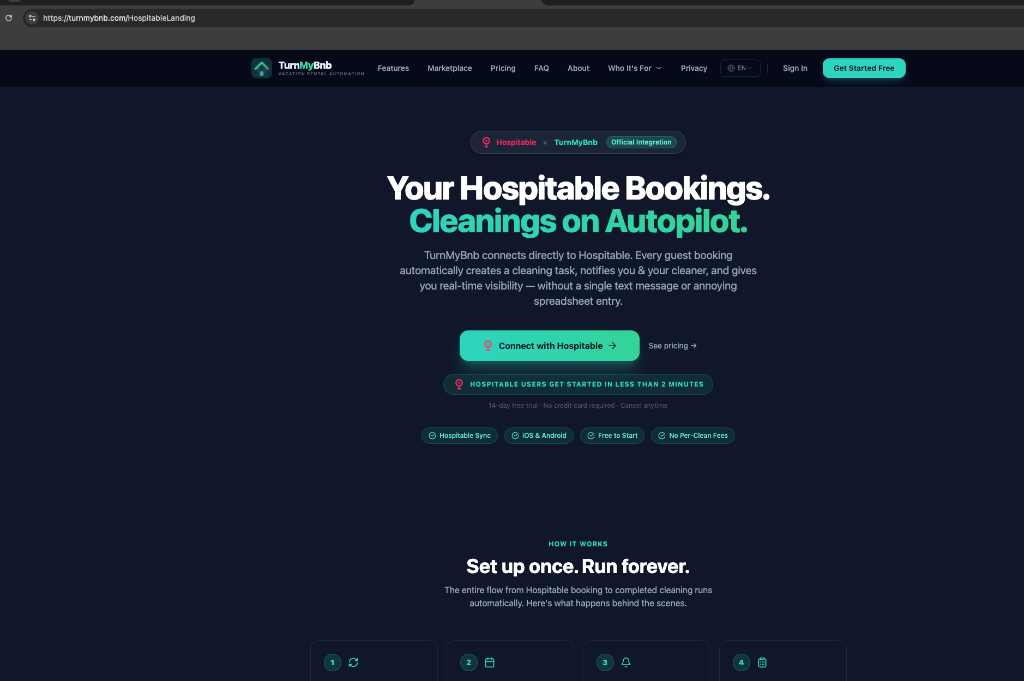
Visit the Hospitable landing page
Head to turnmybnb.com/HospitableLanding. This is the official Hospitable × TurnMyBnb integration page. Click the green "Connect with Hospitable" button to begin setting up automatic cleaning scheduling for your bookings.
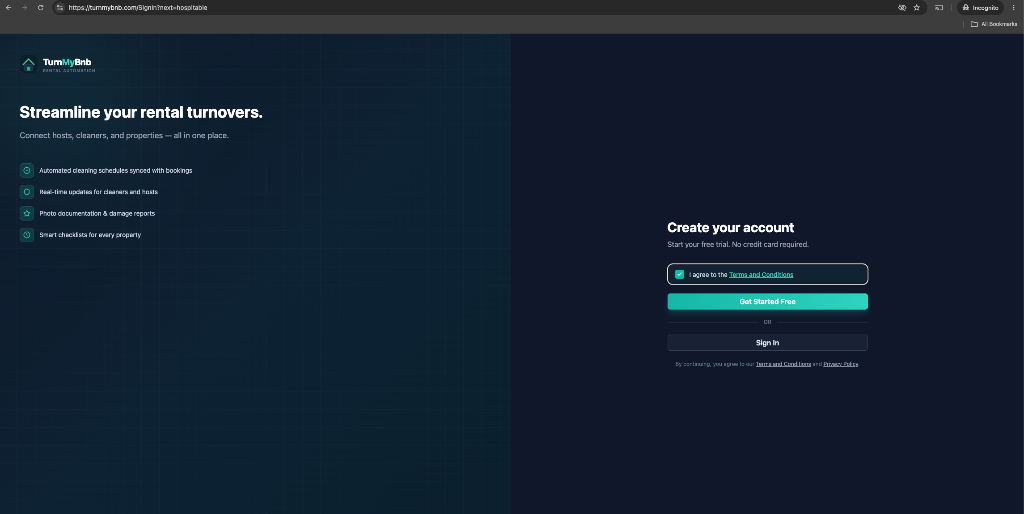
Create your account
On the sign-in screen, check the box to agree to the Terms and Conditions, then click "Get Started Free" to create your account. If you already have an account, click "Sign In" instead. No credit card is required to start your free trial.
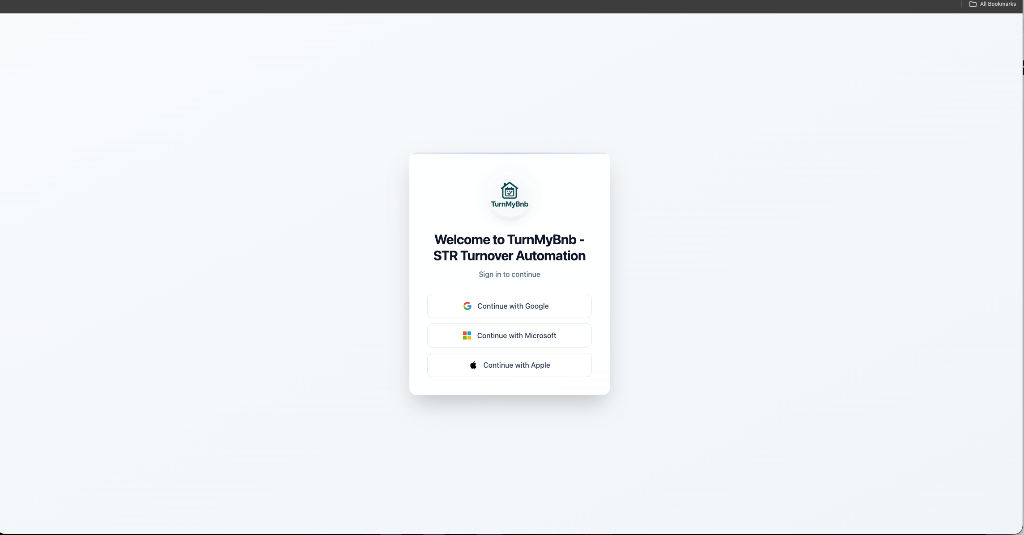
Choose how to sign in
Pick how you'd like to sign in to TurnMyBnb. You can continue with Google, Microsoft, or Apple — whichever account is easiest for you. This securely creates your login so you never need a separate password.
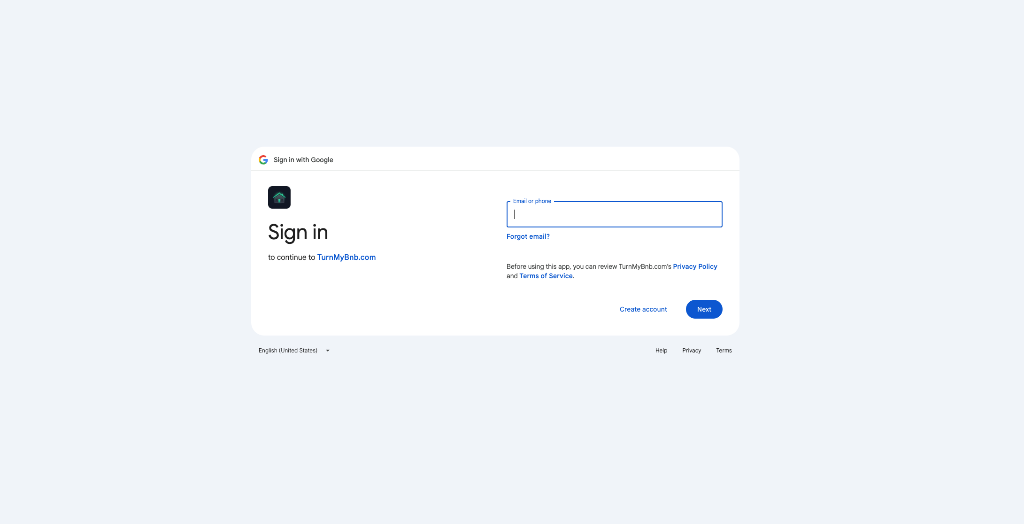
Sign in with your provider
Enter your email or phone number for the provider you selected (Google in this example) and click "Next". Follow the prompts to confirm your identity. You'll be returned to TurnMyBnb automatically once you're signed in.
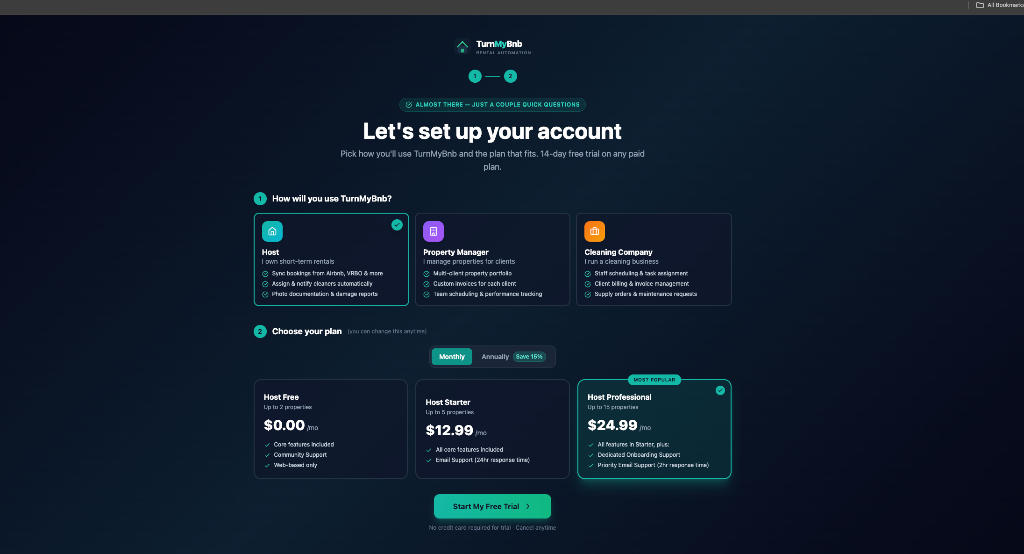
Set up your account & pick a plan
Tell us how you'll use TurnMyBnb — as a Host, Property Manager, or Cleaning Company — then choose the plan that fits your number of properties. Every paid plan includes a 14-day free trial. Click "Start My Free Trial" to continue.
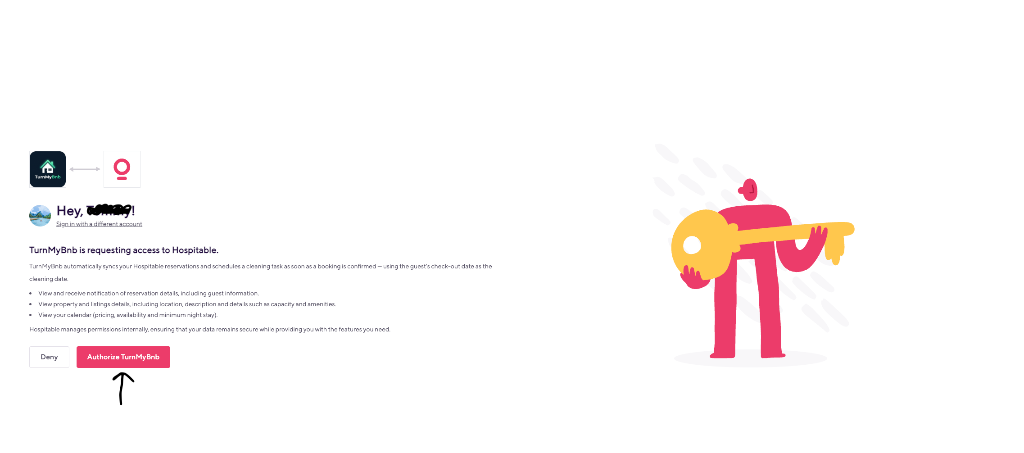
Authorize TurnMyBnb in Hospitable
You'll be sent to Hospitable to grant access. TurnMyBnb only reads your reservation and listing details so it can create cleaning tasks on your checkout dates. Click the pink "Authorize TurnMyBnb" button to approve the connection.
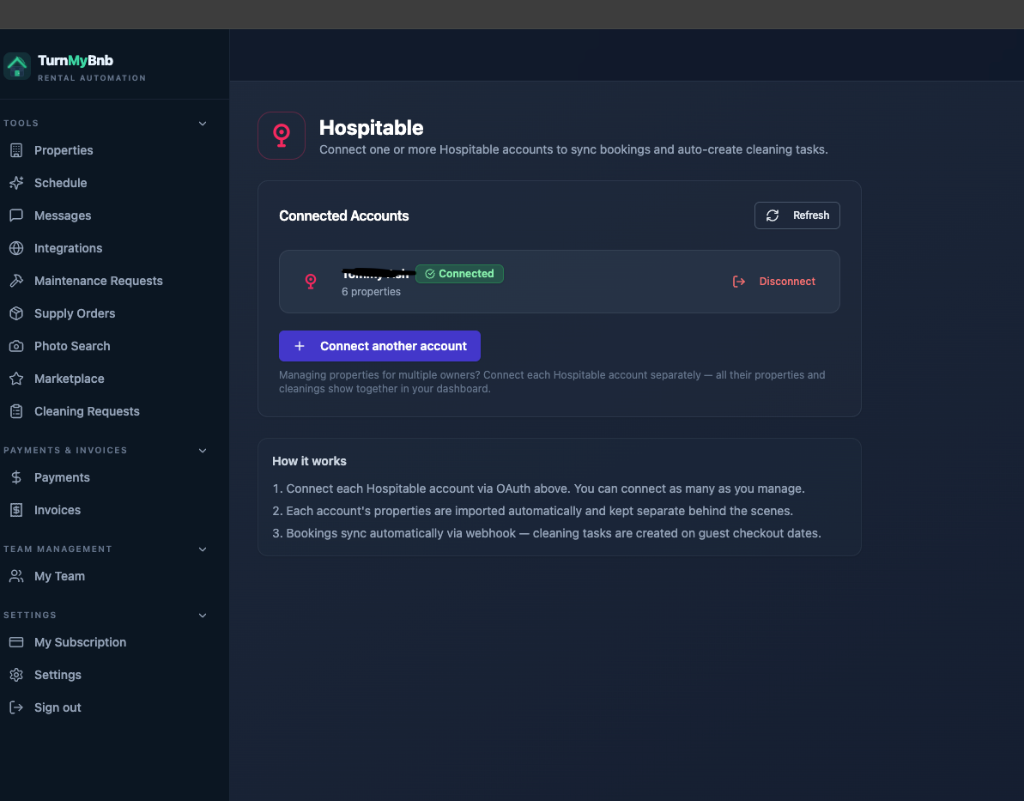
Your Hospitable account is connected
Success! Your Hospitable account now shows as "Connected" along with how many properties were imported. Managing properties for multiple owners? Click "Connect another account" to link as many Hospitable accounts as you need — they all show together in one dashboard.
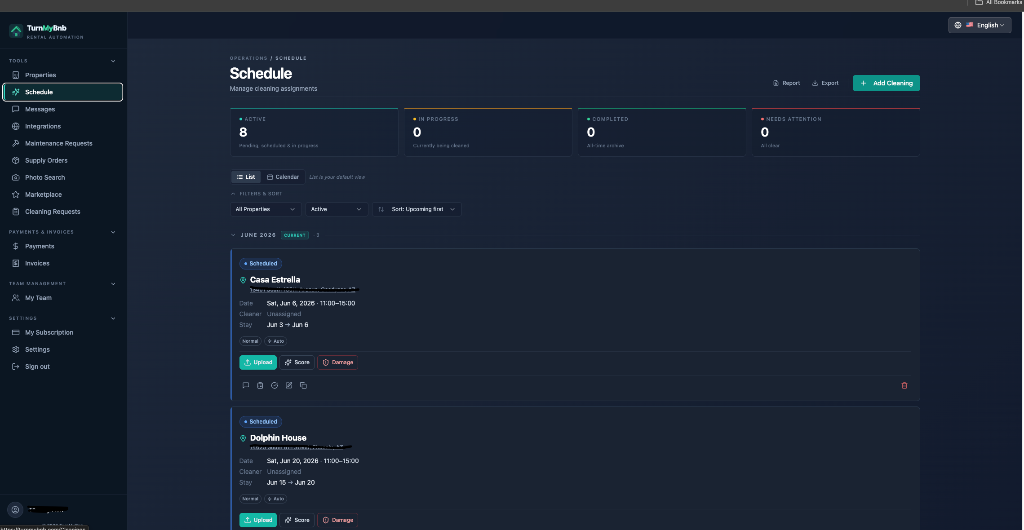
Cleanings appear on your Schedule
Open the Schedule page to see cleaning tasks automatically created from your Hospitable bookings — each on the guest's checkout date with the correct time window. From here you can assign a cleaner, upload photos, score the clean, and report damage.
Review your imported properties
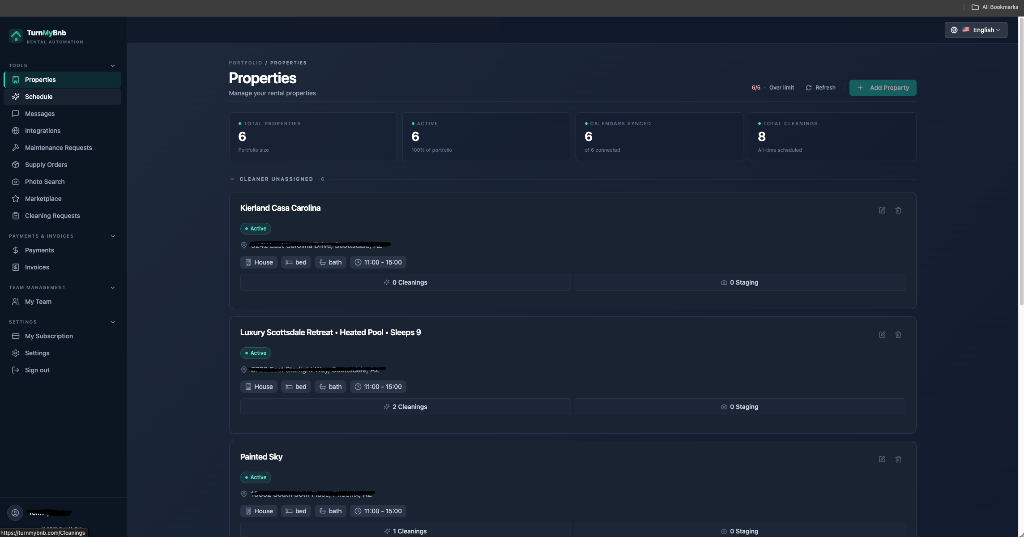
Visit the Properties page to confirm everything imported correctly. You'll see all your Hospitable listings with their details and upcoming cleanings. You can now assign cleaners, add checklists, and customize each property. That's it — you're fully set up!
That's it — you're all set!
Your Hospitable bookings now sync automatically and create cleaning tasks on every checkout date. Assign your cleaner once and let TurnMyBnb handle the rest.
Get Started with HospitableStill need a hand?
If you get stuck on any step, our team is happy to help. support@turnmybnb.com